5 Ways to Cut AI Training Costs with Smart GPU Choice
Explore effective strategies to significantly reduce AI training costs by optimizing GPU choices and usage without compromising performance.
- AI
- GPUs
- Performance

5 Ways to Cut AI Training Costs with Smart GPU Choice
AI training is expensive, but with smarter GPU strategies, you can save up to 80-90% on costs. Here’s how you can cut expenses while maintaining performance:
- Choose Cost-Effective GPUs: NVIDIA H100 and A100 GPUs offer high performance at a reasonable price, with costs starting around $30,000 per unit or $3-$5/hour on cloud platforms. Deploying in low-cost regions can save another 20-40%.
- Compare GPU Providers: Tools like ComputePrices.com help you find the best deals by comparing prices from 31 providers. Spot pricing can reduce costs by up to 90%.
- Optimize GPU Usage: Avoid idle GPUs by using techniques like mixed precision training, gradient accumulation, and dynamic resource allocation.
- Leverage Spot Instances: These discounted cloud resources can reduce hourly rates by 60-90%, making them ideal for non-urgent workloads.
- Use Pre-Trained Models: Pre-trained models and open-source frameworks like PyTorch can lower compute needs by 80-95%, saving both time and money.
Key takeaway: Smarter GPU choices and usage strategies can drastically reduce AI training costs without sacrificing efficiency.
2025 GPU Buying Guide For AI: Best Performance for Your Budget
::: @iframe https://www.youtube.com/embed/lxchTAWgpJ0 :::
1. Pick Cost-Effective GPU Models Like NVIDIA H100 or A100
Selecting the right GPU can make a big difference in managing your AI training expenses. While it might be tempting to go for the priciest option, that's not always the most budget-friendly move. NVIDIA's H100 and A100 GPUs stand out as solid choices, offering strong performance without breaking the bank.
Balancing cost and performance
Both the H100 and A100 provide a good balance between cost and capability. A single high-performance NVIDIA GPU like these typically costs around $30,000 [3]. While the A100 may be a generation older than the H100, it still delivers great value for many AI training tasks. These GPUs are purpose-built for AI workloads, with architectures optimized to handle the heavy computations and massive datasets that AI training demands.
Broad availability and regional pricing
You can find these GPUs across major cloud providers and specialized GPU platforms [3]. However, their prices can vary by region. By deploying your training jobs in lower-cost regions - a tactic known as "region-hopping" - you can cut compute costs by 20–40% [3][4]. Keep in mind that global GPU shortages have created a volatile market, leading to fluctuating prices [3].
Smarter resource allocation
To save even more, consider spreading your workloads across multiple cloud providers and regions. This approach not only helps you take advantage of regional cost differences but also reduces dependency on a single vendor [2][1]. Starting with cost-effective GPUs like the H100 or A100 sets the groundwork for further optimization strategies that we’ll explore in the next sections.
2. Compare Cloud GPU Providers Using ComputePrices.com
 ComputePrices.com
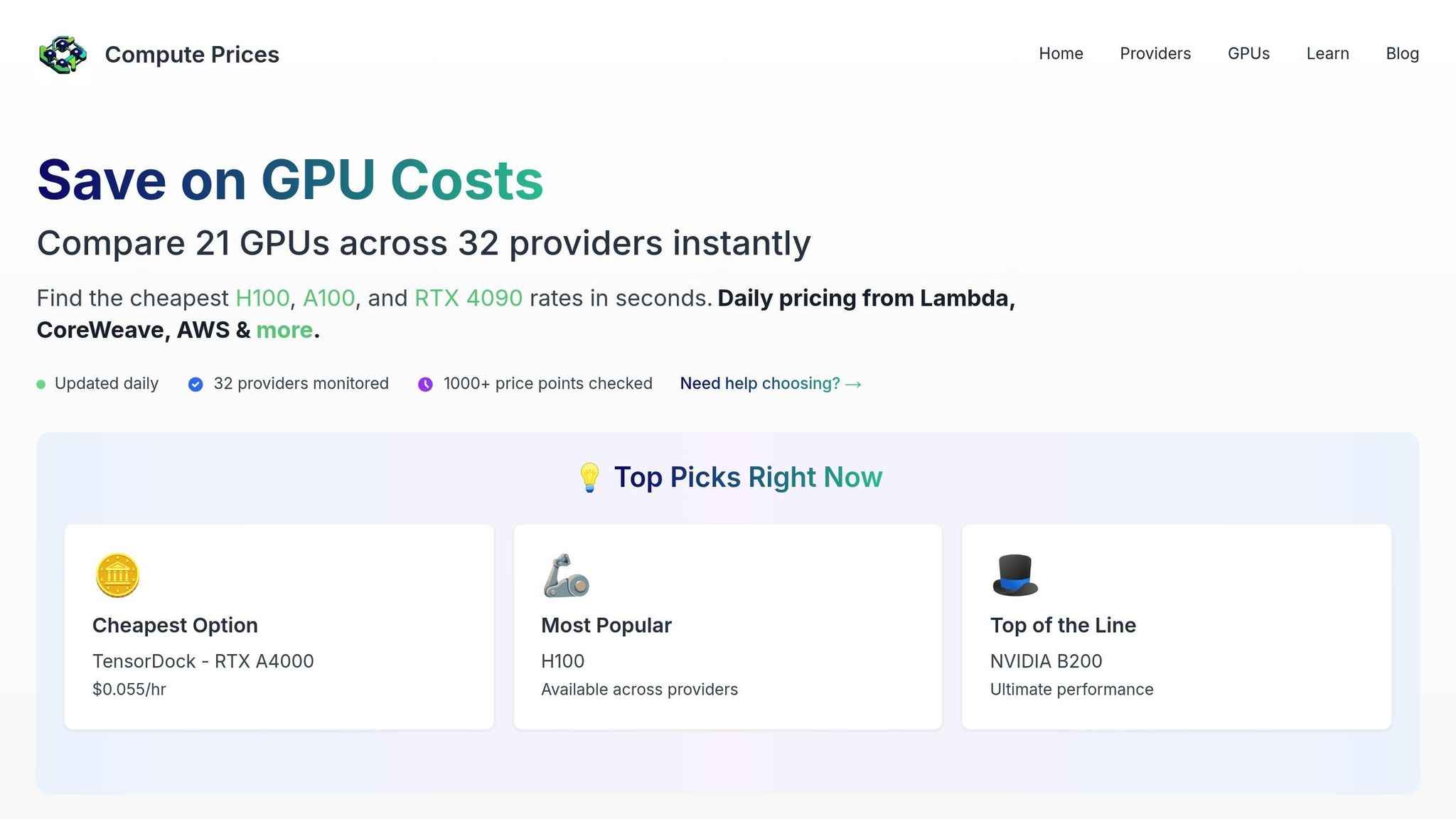
Sorting through dozens of cloud providers to find the best GPU deals can feel overwhelming. That’s where ComputePrices.com steps in, streamlining the process by pulling real-time pricing data from 31 providers and tracking over 1,000 price points daily. Instead of visiting each provider's site individually, this platform acts as your go-to resource for comparing GPU costs side-by-side. This transparency makes it much easier to understand why prices can vary so widely.
Cost-effectiveness: Finding the Best Price-to-Performance Ratio
The cost of the same GPU model can vary dramatically between providers. For example, an RTX A4000 with 16GB VRAM might cost as little as $0.03/hour with one provider but jump to $0.15/hour with another - a 400% price difference. ComputePrices.com lays out these rates side-by-side, helping you quickly identify the most affordable options.
When evaluating GPUs, it’s not just about price - it’s about value. A Tesla V100 with 32GB VRAM at $0.02/hour may deliver better performance for certain AI tasks than an RTX 3090 at $0.14/hour. By updating prices daily, the platform ensures you’re always working with the latest market data, helping you make informed decisions without any budget surprises.
Matching GPUs to Your AI Workloads
Choosing a GPU isn’t just about cost - it’s about compatibility with your AI projects. ComputePrices.com provides detailed specifications like VRAM and compute capability, so you can filter GPUs based on your technical needs.
For example, large language model training often requires GPUs with at least 80GB of memory, limiting your options to high-end models like the NVIDIA A100 or H100. On the other hand, smaller projects may run perfectly fine on a more budget-friendly RTX A4000 with 16GB VRAM. The platform also ensures your selected GPU supports popular frameworks like TensorFlow and PyTorch, so you can focus on your work without worrying about compatibility issues.
Availability and Regional Pricing Insights
Availability and regional pricing are other key factors to consider. Popular GPUs like the NVIDIA H100 can be hard to find due to high demand, but ComputePrices.com shows which providers have inventory in specific regions, saving you the hassle of chasing unavailable options.
Regional pricing differences can also make a big impact. In some cases, the same GPU might cost 20-40% less in certain locations. If your project allows for flexibility in terms of data residency and latency, you can use the platform to take advantage of these geographic pricing differences.
Smarter Resource Optimization
ComputePrices.com also highlights opportunities to save with spot and reserved instances. Spot instances, which can save you up to 90%, are perfect for non-critical workloads that can tolerate interruptions. Reserved instances, offering 50-70% savings, are ideal for long-term projects with predictable usage.
Stability AI, for instance, reported saving millions of dollars annually by using spot GPU capacity and dynamically selecting the lowest-cost providers for their large-scale training jobs. By leveraging tools like ComputePrices.com and adopting a multi-cloud strategy, they avoided vendor lock-in and consistently secured the best rates[5][6].
The platform’s filtering options make it easier to align your optimization strategy with your project’s needs - whether you’re looking for the lowest cost, the most reliable availability, or a balance of both.
3. Improve GPU Utilization to Avoid Wasted Resources
Underusing GPUs can quietly inflate your AI training costs. Many organizations invest in high-performance GPUs but fail to tap into their full potential, leaving valuable compute power idle. The key is to get the most out of every dollar spent on GPUs by applying smart optimization techniques.
Resource Optimization Strategies
One way to boost GPU efficiency is by adjusting the batch size. Sticking to small batch sizes can waste GPU memory and limit throughput. For instance, if your model only uses a portion of the available memory, you're not fully leveraging the GPU's capacity.
Another technique is mixed precision training, which uses 16-bit floating-point numbers instead of 32-bit. This approach improves memory efficiency and can speed up training. It also enables you to handle larger models or batch sizes without immediately needing more expensive hardware.
For scenarios where memory constraints force smaller batch sizes, gradient accumulation can help. Instead of updating the model's weights after every mini-batch, you accumulate gradients over several passes. This simulates a larger batch size and makes better use of the GPU's memory.
These strategies work well alongside multi-tenancy setups to ensure GPUs are utilized efficiently.
Cost-Effectiveness Through Smart Scheduling
Multi-tenancy is another way to cut GPU costs. Instead of dedicating an entire GPU to a single task, you can run multiple smaller workloads simultaneously. For example, combining inference tasks with lighter training jobs can significantly improve overall GPU usage.
Dynamic resource allocation takes this a step further. It adjusts GPU usage based on workload demands, scaling down during less intensive tasks like data loading or model validation and reallocating resources to where they're most needed.
Pipeline parallelism is another powerful tactic. By dividing a model into stages and processing different batches across multiple GPUs, you keep each GPU actively engaged rather than waiting for sequential tasks. This approach pairs well with dynamic allocation for even greater efficiency.
Compatibility Considerations for Maximum Efficiency
Your software setup also plays a big role in GPU performance. Frameworks like PyTorch offer tools such as DataParallel and DistributedDataParallel, each with unique performance benefits. Knowing which one to use can make a noticeable difference in GPU efficiency.
Memory management techniques like gradient checkpointing can also help. By trading a bit of additional computation for reduced memory use, you can train larger models on your current hardware, even if it slightly increases training time.
Finally, profiling tools like NVIDIA's Nsight Systems or PyTorch's profiler are invaluable for spotting bottlenecks. These tools help ensure every GPU cycle is put to productive use.
sbb-itb-dd6066c
4. Use Spot Instances for Non-Critical AI Workloads
Making the most of GPU resources isn’t just about performance - it’s also about finding ways to save money. One such way is by using spot instances.
Spot instances are essentially unused computing capacity offered at significantly reduced prices. For AI teams, they can be a game-changer when it comes to cutting costs on GPU-heavy tasks.
Cost-Effectiveness
The savings with spot instances are hard to ignore. They can slash GPU costs by 60–90%, turning an hourly rate of $3.00 into just $0.30–$1.20 [7].
"Beyond hardware selection, spot instances or preemptible VMs are a goldmine for training workloads. They're 60–90% lower than standard on-demand pricing, and work perfectly for jobs that can handle interruptions." - Y Sarvani [7]
For teams operating on tight budgets, this price difference can mean the ability to run more experiments or explore larger datasets. For example, a training job that might cost $2,400 on standard instances could drop to as little as $240–$960 with spot instances.
Compatibility with AI Workloads
Spot instances are particularly suited for AI training jobs that involve iterative processes. These jobs can often be paused and resumed without losing much progress. The main downside? Availability. Cloud providers can reclaim spot instances at any time if they need them for higher-priority customers. But with the right planning and tools, this limitation becomes manageable.
Resource Optimization Strategies
To make the most of spot instances, you need to focus on checkpointing and orchestration. Checkpointing saves your model’s progress at regular intervals, so if an instance is interrupted, you can pick up where you left off instead of starting from scratch.
"These instances are spare compute capacity offered at a discount, with the trade-off that they can be reclaimed by the cloud provider with little notice. They are worth the trade-off with robust checkpointing and orchestration tools that enable seamless recovery, minimize disruption, and maximize savings." - Y Sarvani [7]
Most modern AI frameworks, such as PyTorch and TensorFlow, come with built-in checkpointing capabilities. Configure them to save progress every few epochs or at regular intervals. This ensures that even if an instance is interrupted, you only lose a small amount of work.
Orchestration tools are also key. They can automatically request new spot instances when existing ones are terminated and spread workloads across multiple availability zones to reduce the risk of simultaneous interruptions.
For the best results, pair workloads that allow frequent checkpointing with spot instances and reserve on-demand pricing for tasks that are time-sensitive or cannot tolerate interruptions.
5. Apply Pre-Trained Models and Open-Source Frameworks to Reduce Compute Needs
Using pre-trained models and open-source frameworks is a smart way to cut back on GPU expenses while speeding up deployment. Instead of starting from scratch, these resources let teams build on existing foundations, saving both time and money.
Cost-Effectiveness
Fine-tuning pre-trained models can reduce compute requirements by a whopping 80-95%, which translates to major cost savings [4]. For example, a training job that might cost $10,000 with traditional methods could drop to just $500-$2,000 when leveraging pre-trained models effectively.
Open-source frameworks like PyTorch, TensorFlow, and JAX add even more value. These tools come with no additional licensing fees while offering powerful features that rival proprietary software [4]. Plus, they’re packed with optimization techniques.
- Pruning: This method can shrink model sizes by 50-90% with little to no impact on accuracy [4][7].
- Quantization: By reducing numerical precision (e.g., from FP32 to FP16 or INT8), memory usage can be halved, allowing you to run larger models on smaller, less costly GPU setups [7].
Compatibility with AI Workloads
Pre-trained models are versatile and can adapt to a variety of AI tasks. Whether your focus is natural language processing, computer vision, or recommendation systems, there’s likely a pre-trained model that fits the bill. These models have already learned key patterns from massive datasets, making them a great starting point.
Transfer learning also simplifies the process by building on existing models, so you don’t need to train from scratch. Even better, optimized pre-trained models work efficiently across different GPUs, whether you’re using high-end options like the H100 or more affordable alternatives.
Resource Optimization Strategies
Advanced techniques like knowledge distillation, pruning, and quantization further reduce the size and computational load of models [4][7]. These methods streamline operations by trimming unnecessary components or lowering the precision of calculations - all while maintaining strong performance.
To get the most out of your GPU resources, automation tools like MLflow, Kubeflow Pipelines, and GitHub Actions are invaluable [7]. They help streamline workflows by automating tasks such as spinning up GPU instances when training begins and shutting them down once it’s done. This prevents expensive idle time and ensures efficient resource use.
GPU Cost Comparison Table
Below is a detailed comparison of real-time GPU pricing across major cloud providers, updated daily by ComputePrices.com. This table gives you a clear snapshot of costs, helping you make smarter choices to align GPU usage with your budget goals.
| GPU Model | Provider | Region | On-Demand Price (USD/hr) | Spot Price (USD/hr) | Savings with Spot |
|---|---|---|---|---|---|
| NVIDIA H100 | AWS | US East (N. Virginia) | $4.80 | $0.96 | 80% |
| NVIDIA H100 | Google Cloud | US West (Oregon) | $4.60 | $0.92 | 80% |
| NVIDIA H100 | Azure | US Central | $4.90 | $0.98 | 80% |
| NVIDIA A100 80GB | AWS | US East (N. Virginia) | $3.06 | $0.31 | 90% |
| NVIDIA A100 80GB | Google Cloud | US West (Oregon) | $2.95 | $0.30 | 90% |
| NVIDIA A100 80GB | Azure | US Central | $3.10 | $0.32 | 90% |
| NVIDIA T4 | AWS | US East (N. Virginia) | $0.75 | $0.15 | 80% |
| NVIDIA T4 | Google Cloud | US West (Oregon) | $0.50 | $0.10 | 80% |
| NVIDIA T4 | Azure | US Central | $0.65 | $0.13 | 80% |
Data as of November 2025. Prices may vary based on demand and availability.
Key Takeaways
- Regional Pricing Differences: Costs can vary significantly by region. For example, AWS A100 instances are $3.06/hr in US East but jump to $3.60/hr in US West - a 17% increase that can add up over time.
- Spot Pricing Savings: Spot instances offer substantial discounts. A US-based AI startup reportedly saved over $50,000 annually by switching from on-demand AWS A100s to Google Cloud spot A100s. At a larger scale, companies like Stability AI have saved millions with similar strategies.
Additional Considerations
While GPU costs are a significant factor, don’t overlook related expenses like data transfer fees and storage, which can impact the total cost. ComputePrices.com monitors over 1,000 pricing points across 31 providers daily, ensuring teams stay informed about fluctuating rates - particularly for spot instances.
Expert Recommendations
To get the most out of your GPU budget, consider the following:
- Use high-performance GPUs like the H100 or A100 for demanding training tasks.
- Opt for more cost-efficient models like the T4 for inference workloads.
- Combine geographic arbitrage (choosing cheaper regions) with spot instances to cut GPU spending by as much as 60–80%.
Conclusion
Choosing the right GPU can make a huge difference in cutting down your AI training costs without sacrificing performance. Five effective strategies to achieve this include: opting for budget-friendly models like the NVIDIA H100 and A100, using real-time pricing tools like ComputePrices.com to compare costs across 31 providers, ensuring GPUs are fully utilized, utilizing spot instances for less critical workloads, and reducing compute needs with pre-trained models and open-source frameworks. These approaches have enabled many organizations to significantly lower their GPU expenses while maintaining efficiency.
FAQs
::: faq
What factors should I consider when choosing between NVIDIA H100 and A100 GPUs for AI training?
When choosing between the NVIDIA H100 and A100 GPUs for AI training, it's essential to match your selection to your workload's demands and your budget. The H100 delivers superior performance and efficiency, making it a strong contender for advanced AI projects like large language models or intricate simulations. That said, this high performance comes with a higher price tag.
On the other hand, the A100 remains a powerful and more budget-friendly option, suitable for a broad spectrum of AI tasks. If you're aiming to strike a balance between performance and cost, the A100 could be the better fit. Consider factors such as the size of your model, how much training time you can allocate, and your project's financial limits to determine which GPU aligns best with your needs. :::
::: faq
How can I maximize GPU usage and avoid wasting resources during AI training?
To get the most out of your GPU and avoid wasting resources during AI training, here are some practical strategies to consider:
- Pick the right GPU for the job: High-performance GPUs are ideal for training, while more budget-friendly options work well for inference tasks. This way, you’re not overspending on power you don’t need.
- Streamline your workloads: Optimize data pipelines and task scheduling to keep your GPUs busy and minimize downtime.
- Leverage resource management tools: Use platforms like Kubernetes with autoscaling capabilities to align resources with your workload demands automatically.
Managing your GPU resources effectively can help strike the perfect balance between performance and cost in your AI projects. :::
::: faq
What are spot instances, and how can they help reduce AI training costs?
Spot instances are a budget-friendly option in cloud computing, priced much lower than standard on-demand instances. These instances tap into unused capacity from cloud providers but come with a catch - they can be interrupted if the provider needs those resources back. This makes them a great fit for tasks like AI training, which can tolerate interruptions and resume without significant issues.
To make the most of spot instances and cut costs, design your AI workloads to handle interruptions smoothly. Techniques like checkpointing - where progress is saved regularly - can help ensure no work is lost. You can also use tools or scripts to keep an eye on spot instance availability and quickly switch to other resources when necessary, keeping your operations running without hiccups. :::