Why GPU Costs Vary So Much Between Providers
Explore the surprising variations in cloud GPU costs across providers and learn how to optimize your AI workload expenses.
- AI
- GPUs
- Performance

Why GPU Costs Vary So Much Between Providers
Cloud GPU pricing is all over the place. The same hardware, like an NVIDIA H100 GPU, can cost $2.25/hour on one platform but jump to $5.95/hour on another. That's a 160% price gap for identical performance. Older GPUs, like the Tesla V100, show even bigger differences - ranging from $0.02/hour to $0.21/hour, a 950% variation.
What causes this? Factors like pricing models (on-demand, spot, and reserved), regional energy costs, and hidden fees (data transfer, storage, and bandwidth) all play a role. For instance, AWS spot prices for H100 GPUs can drop from $105/hour to $12/hour depending on demand and location. On the other hand, Google Cloud and Azure also offer discounts through preemptible or reserved instances, but their regional availability and extra charges differ.
If you're running AI workloads, tools like ComputePrices.com can save you money by comparing over 1,000 price points across 32 providers. They help you find the best deals, whether you're training AI models or scaling inference tasks. The key takeaway? Look beyond hourly rates - factor in total costs like storage and network fees to avoid surprises.
3 Free Cloud GPU Resources & Price Comparison of Paid Alternatives
::: @iframe https://www.youtube.com/embed/q66_5BNIKwM :::
1. AWS
 AWS
AWS
Amazon Web Services (AWS) stands out as a major player in the GPU market, offering a mix of NVIDIA chips like the B200 and H200, alongside its own custom processors, Trainium and Inferentia. This variety of hardware options creates a layered pricing structure, where the cost depends heavily on the type of GPU and the specific chips being used. Let’s break down how AWS's hardware, pricing models, and regional availability influence GPU costs.
Hardware Configurations
AWS provides a range of GPUs spanning different performance levels. For cutting-edge AI training, the H100 and A100 instances are the go-to options. Meanwhile, older V100 GPUs remain available for those looking to save on costs without sacrificing too much capability. Additionally, AWS’s in-house Trainium and Inferentia chips are designed specifically for training and inference tasks, offering a cost-efficient alternative to NVIDIA GPUs.
Pricing Models
AWS offers several pricing options tailored to different needs.
- Spot Instances: These are highly volatile but offer steep discounts. For example, the price of the H100 instance (p5.48xlarge) in the eu-north-1 region dropped from $105.20 in January 2024 to just $12.16 by September 2025 [3][4][5]. Monitoring regional spot prices can yield savings of 2x to 5x in favorable U.S. regions [3].
- Reserved Instances: Ideal for long-term commitments, these provide predictable pricing over extended periods.
- On-Demand Instances: These allow maximum flexibility but come at a higher cost, making them suitable for short-term or unpredictable workloads.
Regional Pricing
Location has a big impact on both hardware availability and costs. For instance, A100 GPUs are widely available in us-east-1 and us-west-2, but their availability is limited in regions like ca-central-1 and us-east-2. In Europe, eu-central-1 offers full A100 support, while eu-west-1 has only partial availability [3]. These regional differences can force users to choose between higher costs or fewer hardware options, depending on where they operate.
Additional Costs
Beyond the base instance rates, AWS imposes extra charges that can significantly affect the total cost:
- Data Transfer Fees: Moving large datasets across regions or instances can add up quickly.
- Storage Costs: High-performance storage solutions required for GPU instances come with additional expenses.
- Network Bandwidth: Distributed training across multiple instances or regions often incurs unexpected network charges.
Understanding these factors is key to managing AWS GPU costs effectively.
2. Google Cloud
 Google Cloud
Google Cloud Platform (GCP) approaches GPU pricing differently than AWS, blending traditional NVIDIA GPU options with its proprietary Tensor Processing Units (TPUs). This mix of hardware, combined with flexible billing options and region-specific pricing, creates a structure that can either benefit or challenge users depending on their specific needs. Let’s break down how hardware configurations, pricing models, and regional factors shape GPU costs on GCP.
Hardware Configurations
GCP provides a range of GPU options to suit various tasks. For general workloads, you’ll find NVIDIA T4 and V100 GPUs, while the high-performance A100 GPUs are designed for more demanding AI applications. GCP also offers TPUs - custom-built for machine learning - to further optimize performance and cost. For instance, the A2 instance family features multiple A100 configurations, while other instances are geared toward cost-efficient inference tasks.
Pricing Models
GCP’s pricing is designed to adapt to different usage needs. Preemptible instances, for example, come with significant discounts but may be interrupted, making them ideal for non-critical tasks. For workloads with predictable usage patterns, GCP offers committed use discounts and sustained use discounts, helping users save on costs without constant manual adjustments. These options allow for more efficient cost management over time.
Regional Pricing
GPU pricing on GCP varies by region, with many U.S. locations offering competitive rates compared to certain international markets. These regional differences not only affect costs but also influence hardware availability, which can impact compliance requirements and latency considerations.
Additional Costs
Beyond GPU usage, there are other expenses to factor in, such as charges for attached storage, network egress, and interconnect fees. Opting for advanced network tiers or specialized connectivity options can push costs higher. These additional charges should be carefully planned for when budgeting and optimizing your GPU usage on GCP.
3. Microsoft Azure
 Microsoft Azure
Microsoft Azure provides a variety of GPU solutions tailored for AI and machine learning workloads. Among these, the A100-powered instance - like the Standard_ND96amsr_A100_v4 - is designed specifically for handling intensive AI tasks.
Hardware Configurations
Azure's GPU configurations are built around NVIDIA A100 GPUs, offering the power and flexibility needed for demanding AI applications. The Standard_ND96amsr_A100_v4 instance, for example, is equipped to handle large-scale operations efficiently. However, availability can vary depending on the region.
Pricing Models
Azure offers multiple pricing options to suit different needs. These include on-demand rates for immediate access, discounted rates for long-term reservations, and spot instances for cost-effective computing if interruptions are acceptable. These flexible pricing models allow organizations to align costs with their performance requirements.
Regional Pricing
Azure's pricing can differ significantly by region. For example, users of the A100 instance Standard_ND96amsr_A100_v4 can save between 7% and 32% by shifting workloads across different U.S. regions during optimal times [3]. In Europe, full A100 GPU coverage is available in the westeurope region, while other regions - such as francecentral, italynorth, polandcentral, and swedencentral - offer approximately 80% coverage [3]. However, Azure imposes regional quotas and requires manual approvals, which can limit access for new accounts [6].
Additional Costs
In addition to the core instance pricing, there are other operational expenses to consider. Costs like storage, network egress, and bandwidth charges can add up, especially for data-heavy workloads. It's crucial to account for these additional expenses when planning large-scale GPU deployments to avoid unexpected budget overruns.
sbb-itb-dd6066c
4. ComputePrices.com
 ComputePrices.com
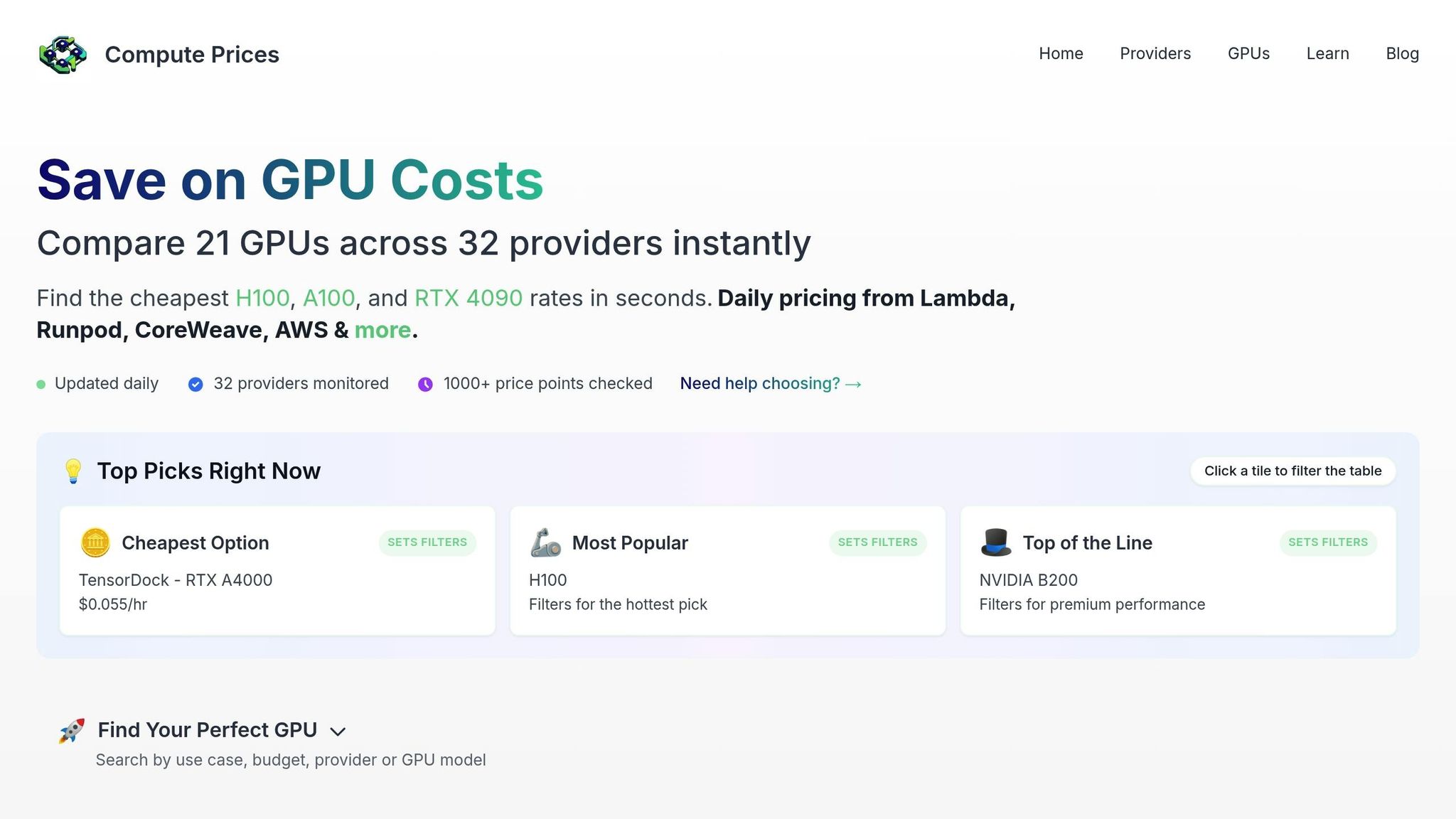
Navigating the maze of GPU pricing can be overwhelming, but ComputePrices.com simplifies the process. By collecting and standardizing data from over 1,000 price points across 31 cloud providers daily, the platform offers a clear, side-by-side view of the GPU market. This centralized approach not only highlights hardware options and pricing models but also helps users understand regional differences and hidden costs.
Hardware Configurations
ComputePrices.com brings together specifications for 21 different GPU models, ranging from the budget-friendly RTX A4000 to the top-tier NVIDIA H100 and H200. This makes it easy to compare hardware directly. Key details like VRAM capacity, core count, and memory bandwidth are presented in a standardized format, ensuring consistency across providers.
Users can narrow their search to specific GPU models and see how pricing varies. For example, the same GPU might cost $2.74/hour on Northflank but jump to $5.95/hour on Paperspace - a price difference of over 117% for identical hardware. This feature makes it simple to identify the most affordable options for your needs.
Pricing Models
The platform breaks down pricing into three main categories: on-demand, spot/preemptible, and reserved. Spot instances, in particular, can deliver savings of 30% to 90% compared to on-demand rates, depending on market conditions and provider availability. This distinction helps users assess the best pricing strategy for their workload.
Regional Pricing
One of the standout features of ComputePrices.com is its focus on regional pricing. The platform highlights how costs can vary significantly based on data center location and local demand. Users can compare prices across different regions in the U.S. and internationally, making it easier to find cost-effective locations for their projects. Some providers even offer lower rates in less competitive markets, which can lead to significant savings.
Additional Costs
ComputePrices.com doesn’t stop at base rates. It also factors in additional fees like data egress charges, storage costs, and network expenses, which can increase the total bill by 20–40% on certain platforms. These extra charges are displayed using interactive tooltips, giving users a full picture of their potential expenses. This transparency ensures decisions are based on the total cost of ownership, not just the hourly rate.
To stay relevant, the platform updates its data daily, reflecting changes in pricing, new hardware releases, and promotions. This real-time accuracy is vital in a market where prices and offerings can shift frequently. With this comprehensive overview, users are better equipped to weigh the pros and cons of different providers and make informed decisions.
Provider Comparison: Advantages and Disadvantages
Each cloud provider in the GPU market brings its own set of strengths and challenges. The best choice for you will depend on your specific workload requirements and budget. Here’s a breakdown of the key differences based on the detailed analysis above.
AWS stands out with its vast selection of GPU hardware and a strong global network. It offers a wide range of GPU instances, from basic setups to cutting-edge configurations. For long-term use, reserved instance discounts can help reduce costs. However, AWS's pricing for on-demand instances tends to be higher, and its billing structure can feel overly complicated.
Google Cloud strikes a balance between performance and cost. Its pricing model automatically applies sustained use discounts, eliminating the need for upfront commitments. Additionally, custom machine types allow you to fine-tune resource allocation, minimizing waste and lowering expenses. On the downside, Google Cloud’s regional availability is more limited compared to AWS, which could lead to higher latency for some users. Spot pricing can also fluctuate unpredictably during high-demand periods.
Microsoft Azure excels in hybrid cloud integration and offers pricing models tailored to enterprises, including discounts tied to existing Microsoft licensing agreements. Its N-series VMs are well-suited for a variety of GPU workloads. However, Azure’s billing details can be less transparent, and regional pricing differences may add complexity.
ComputePrices.com provides a straightforward way to navigate this complex market. It offers real-time updates on GPU pricing across major cloud providers, capturing daily fluctuations and promotions. While it doesn’t host GPU instances itself, this platform helps users quickly compare costs for identical hardware across providers.
The table below summarizes these distinctions:
| Provider | Hardware Variety | Pricing Flexibility | Regional Coverage | Hidden Costs | Best For |
|---|---|---|---|---|---|
| AWS | Wide range of GPU instances | Multiple pricing models available | Extensive global presence | Complex billing | Enterprise workloads, global projects |
| Google Cloud | Diverse GPU options | Automatic sustained use discounts | Limited regional presence | Moderate network fees | Cost-conscious, sustained workloads |
| Microsoft Azure | Strong GPU instance offerings | Enterprise-friendly pricing | Broad regional availability | Opaque billing details | Hybrid cloud, Microsoft ecosystem |
| ComputePrices.com | Comprehensive GPU comparison | N/A (comparison platform) | Global provider coverage | Transparent fee display | Price comparison, market research |
When planning GPU deployments, it’s essential to look beyond the advertised hourly rates. Hidden costs - like data egress fees for transferring large datasets or storage expenses for persistent disks and snapshots - can quickly add up, especially when managing multiple GPU instances. These additional charges can significantly impact the total cost of ownership.
Understanding these differences can help you make smarter choices in the GPU market, whether you're running short-term experiments or scaling production-level AI systems.
Conclusion
GPU pricing across cloud providers can vary significantly due to a mix of factors. Hardware configurations stand out as a major influence, with the same NVIDIA A100 80GB GPU costing anywhere from $1.76/hr on Northflank to over $5.00/hr on AWS [1]. The pricing model also has a big impact. For example, AWS spot H100 instances can range between $3.00–$8.00/hr, while 8-GPU on-demand clusters can hit $55.04/hr - offering potential savings of up to 90% when using spot pricing [1]. Additionally, regional pricing differences are notable, with US East regions often being cheaper than other global locations. On top of that, extra fees for data transfer, storage, and network egress can further increase overall costs.
To manage these costs effectively, organizations need a thoughtful strategy. For U.S.-based companies aiming to cut GPU expenses, a combination of careful planning and real-time market insights is crucial. Spot and preemptible instances are ideal for non-critical tasks; for instance, Google Cloud spot VMs offer H100 GPUs at approximately $2.25/hr compared to the standard $5.95/hr [1]. For predictable, long-term workloads, reserved instances are a smart choice, often providing discounts of 30–60% compared to on-demand pricing.
ComputePrices.com helps simplify this complicated pricing landscape by tracking real-time costs across providers. This tool makes it easier to find budget-friendly options and avoid overpaying for similar performance levels.
This approach to cost comparison can deliver substantial savings. For example, a U.S.-based AI startup recently slashed its training expenses by 60% by switching from AWS on-demand A100 instances at $3.09/hr to Google Cloud spot instances at $1.57/hr. Using ComputePrices.com, they pinpointed the best times and regions for spot availability [1][2].
Ultimately, managing GPU costs effectively means looking beyond hourly rates and considering the total cost of ownership. While the cheapest option may seem appealing, higher-priced services with added benefits - like enhanced reliability, stronger security, and premium support - can be worth the investment for production-level workloads.
FAQs
::: faq
What factors should I consider to find the best GPU pricing for my AI workloads across cloud providers?
To get the best deals on GPUs for your AI projects, there are a few important things to consider:
- Hardware configurations: Providers offer a variety of GPU models, each with different performance levels. Make sure the specs match what your workload requires - no more, no less.
- Pricing models: Look into different pricing options like on-demand rates, reserved instances, or savings plans. Picking the right model could help you cut costs without sacrificing performance.
- Regional pricing differences: Prices can vary depending on the region. Sometimes deploying in another location can lead to noticeable savings, so it’s worth checking.
- Hidden costs: Keep an eye on extra charges like data transfer, storage, or network usage. These can sneak up on you and inflate your overall spending.
Taking the time to weigh these factors can help you strike the right balance between performance and cost for your AI and machine learning workloads. :::
::: faq
What extra costs should I consider when using cloud GPUs besides the hourly rates?
When working with cloud GPUs, it's important to consider expenses beyond the basic hourly rates. For instance, data transfer fees can pile up quickly, especially when handling large datasets that need to be moved in or out of the cloud. Similarly, storage costs can vary depending on the type and volume of storage you require for your data or models.
Other cost factors include the data center's location, as pricing often differs across regions. Some providers might also include charges for energy use or cooling systems, particularly for demanding, high-performance workloads. Understanding these potential hidden costs can help you better manage and allocate your budget for AI or machine learning projects. :::
::: faq
How do regional pricing and GPU availability impact my choice of a cloud provider?
Regional pricing and GPU availability are key factors to weigh when choosing a cloud provider for GPU-heavy tasks. Prices can differ significantly across regions, influenced by elements like local demand, operating costs, and the infrastructure of nearby data centers. On top of that, some GPU models might only be fully accessible in specific regions, which could restrict your choices based on the needs of your workload.
To make a well-informed decision, take into account both the cost and the availability of the GPU instances required in your desired region. This approach can help you strike the right balance between performance and expenses, ensuring your AI or machine learning projects run smoothly and efficiently. :::